TRANSACTIONAL EMAIL

Goolara Symphonie offers some of the strongest transactional email features available in any email marketing system. Unlike some email marketing software, Symphonie does not require separate platforms or additional charges to send transactional email. It comes with everything you need to begin sending out transactional emails immediately.
Symphonie features an incredibly powerful ability to customize and deliver transactional emails. Transactional emails are generally sent via Symphonie within 10 seconds of the API request, so you can get an email message to the recipient immediately. There is no requirement to batch requests or schedule them — simply use the API to tell Symphonie to send the email and off it goes!
Symphonie’s makes it easy to integrate dynamic data into transactional emails. This includes:
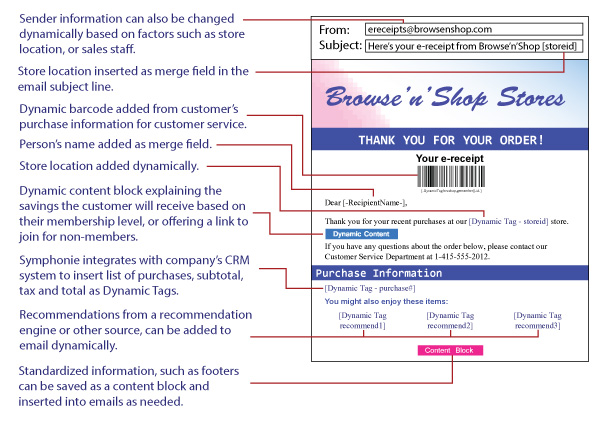
- Dynamic barcodes. Create personalized UPC, QR Code, DataMatrix, or Code 128 barcodes automatically in Symphonie.
- Single line dynamic content. Besides adding dynamic content to the body of your mailing, you also have the ability to change the sender and subject line dynamically as well.
- Dynamic content blocks. Pre-designed content blocks can also be used with Symphonie’s transactional mailing feature.
- API supplied substitutions. Pass data through the API into transactional emails for the ultimate in real-time substitutions.
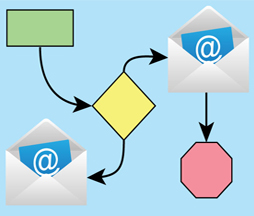
Create workflows to further automate the process. Plus, Goolara Symphonie’s transactional feature offers the same extensive reporting options as promotional mailing so you can quickly analyze all aspects of your email program.
It’s easy to integrate dynamic data into transactional emails in Symphonie. Using the API, Symphonie can send an email with any additional data you provide inserted dynamically into the transactional email template. This offers great flexibility to build highly relevant emails. Use it to create order confirmation emails, complete with all the line-items that were purchased, or for appointment schedules, upcoming webinar reservations, customized URLs, and much more. It can also add fields and values using the platform's dynamic content logic features. Best of all, with Symphonie’s Automation feature, you can set all of this up to run automatically.